
Planet Finder Pro
The whole sky, unlocked
Planet Finder is free to download. Pro opens everything in the app.
Choose your plan
- Best value
Yearly
$59.99per year
Renews every year
About $1.15 per week
Get it in the app Monthly
$14.99per month
Renews every month
Get it in the appWeekly
$5.99per week
Renews every week
Get it in the appLifetime
$69.00one time
Pay once, keep Pro for good. Does not renew.
Get it in the app
Prices are for the United States App Store in US dollars. Prices may vary by country and include tax where it applies. The price shown in the App Store when you buy is the one that counts.
What Pro adds
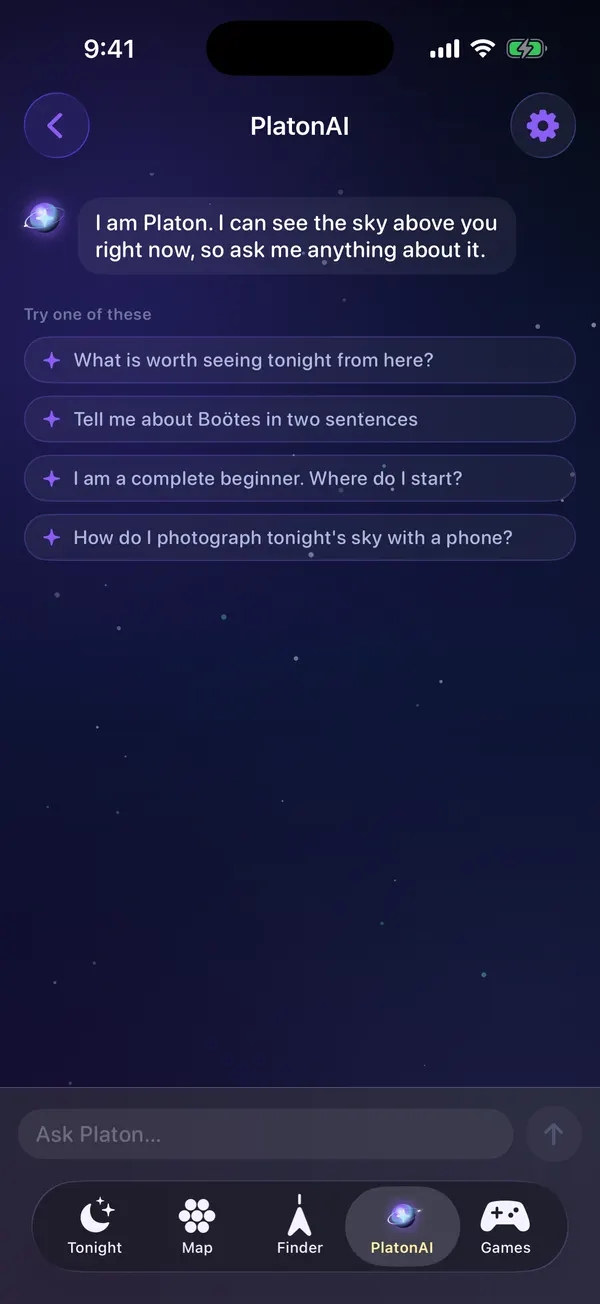
- PlatonAI, your own astronomer for any question about the sky
- The full catalogue of planets, stars and deep sky objects
- Unlimited AR finds
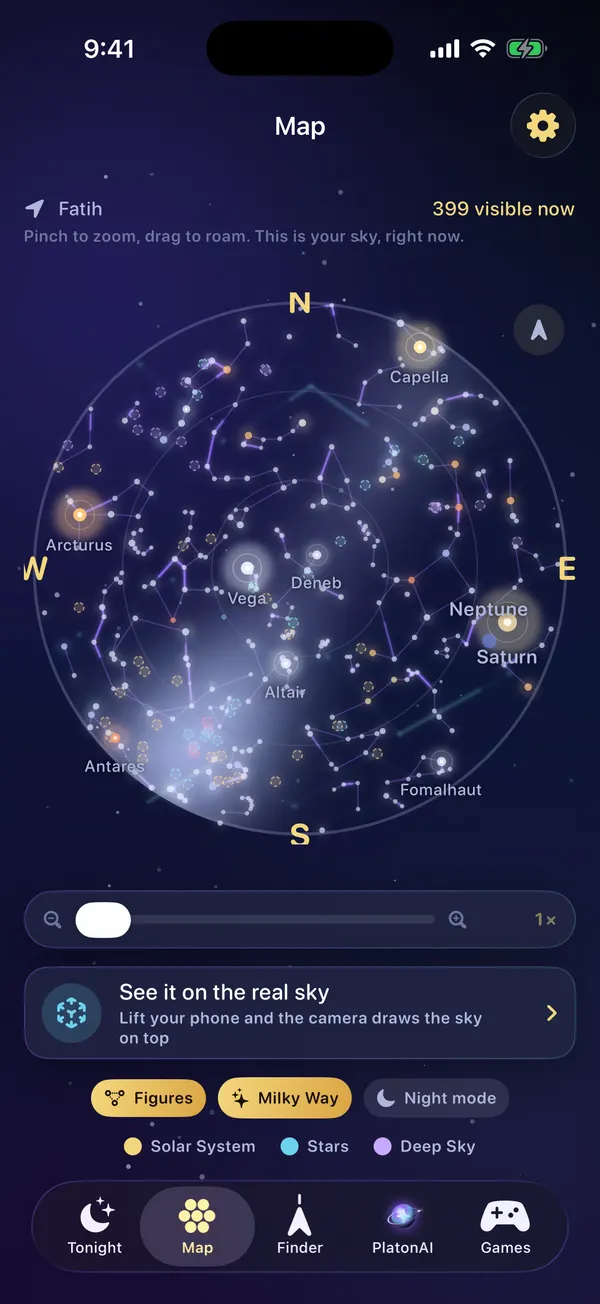
- The deep zoom of the sky map
- Every sky game, every day
- Red night mode to protect your night vision
- Reminders for sky events
- Your own photos pinned onto anything you find in AR
How subscriptions work
- Payment is charged to your Apple Account when you confirm the purchase.
- Weekly, monthly and yearly plans renew automatically for the same period and price unless you turn off auto-renew at least 24 hours before the current period ends.
- You can manage or cancel in iPhone Settings, under your name, then Subscriptions. Pro stays active until the end of the period you have paid for.
- Purchases are made inside the app through Apple. Refunds are handled by Apple.
- Bought Pro on planetfinder.app? Web orders are sold by Paddle, our merchant of record, and can be refunded within 14 days. See the Refund Policy.
- See the Terms of Use, which include Apple's standard EULA, and the Privacy Policy.
FAQ
Questions about Pro
Can I use Planet Finder without paying?
Yes. The sky map, tonight's list, the events calendar, NASA's photo of the day, two AR finds a day and one sky game a day are free.
How do I cancel?
Open Settings on your iPhone, tap your name, then Subscriptions, choose Planet Finder and tap Cancel Subscription. Pro stays on until the end of the period you have already paid for.
What is the lifetime plan?
A one time purchase that unlocks Pro for your Apple Account for good. It never renews.
I bought Pro. How do I get it on a new iPhone?
Sign in with the same Apple Account, open the Pro screen in the app and tap Restore.
Why is my price different?
Apple sets prices per country and currency, and some countries add tax. The App Store always shows your exact price before you buy.

Look up tonight
Download Planet Finder for free and find out what is shining above you right now.
For iPhone with iOS 18.6 or later